
Valuable data for your risk analysis.
Good risk management considers not only figures and facts from your own company but also a wide range of external data and statistics. After all, these can significantly affect business performance: just think of energy prices, interest rates, or exchange rates.
Risk Kit Data gives you an easy-to-use tool for loading financial data and social statistics from various sources into your Excel worksheets. You get Risk Kit Data free as an addition to your Risk Kit order. Secure important insights for every risk manager.
Your benefits with Risk Kit Data.
- Free for you when you order Risk Kit
- Fast installation and integration
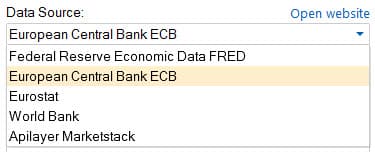
- Easy access to the databases of the European Central Bank ECB, Eurostat, Federal Reserve Economic Data FRED, the World Bank, and the Apilayer Marketstack API
- Clear interface for browsing statistics, searching market data and statistics, and importing data into worksheets
- Automatic updates with Excel
- Can be combined with Risk Kit for the Monte Carlo method in Excel
What Risk Kit Data offers.
High-quality data sources
The ECB and FRED provide high-quality market data. The World Bank and Eurostat offer global economic and social statistics. Apilayer Marketstack unlocks stock prices from more than 70 countries.
Risk Kit Data is your gateway to this world, directly in Excel.
Simple search with task panes
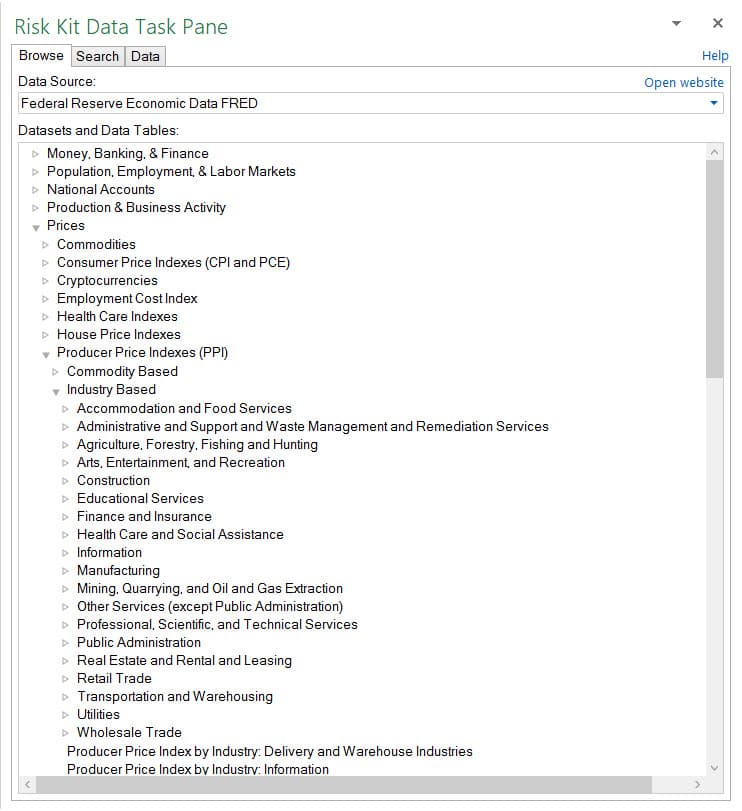
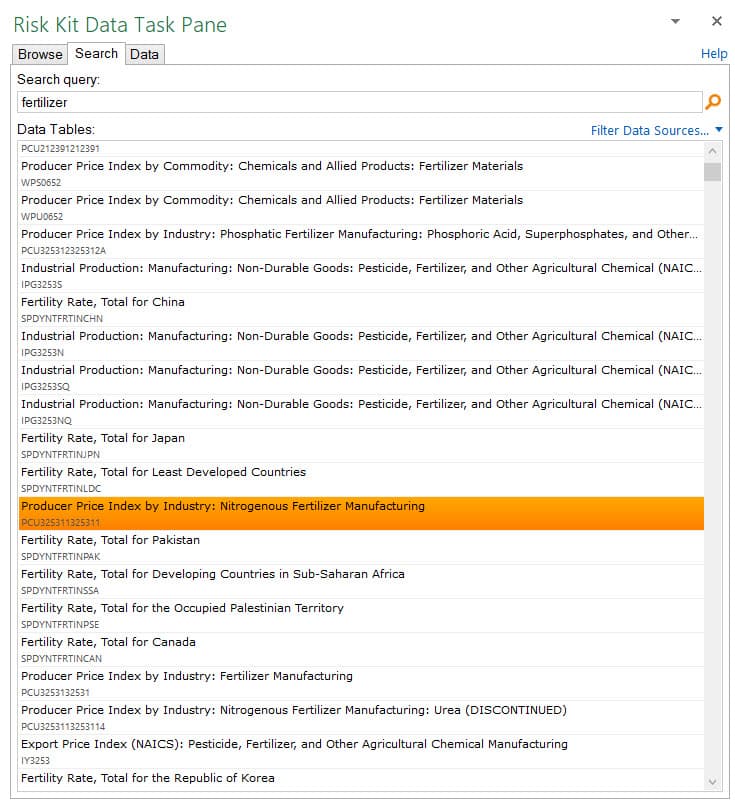
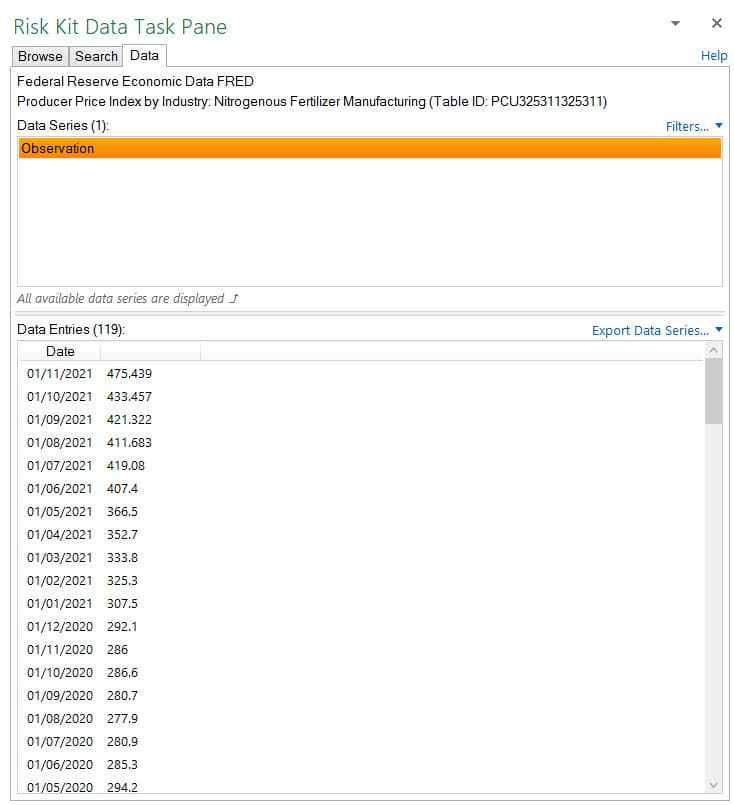
With the Finance and Data task panes, you can search and filter current and historical commodity prices, interest rates, exchange rates, and social statistics.
Import data dynamically
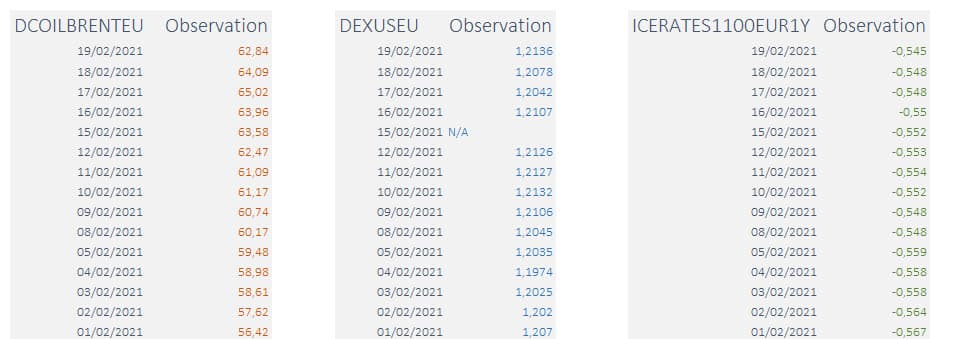
Import the data into Excel. The import is a cell function. With a reference to the current date, you get up-to-date data for every new analysis.
Preparing time series
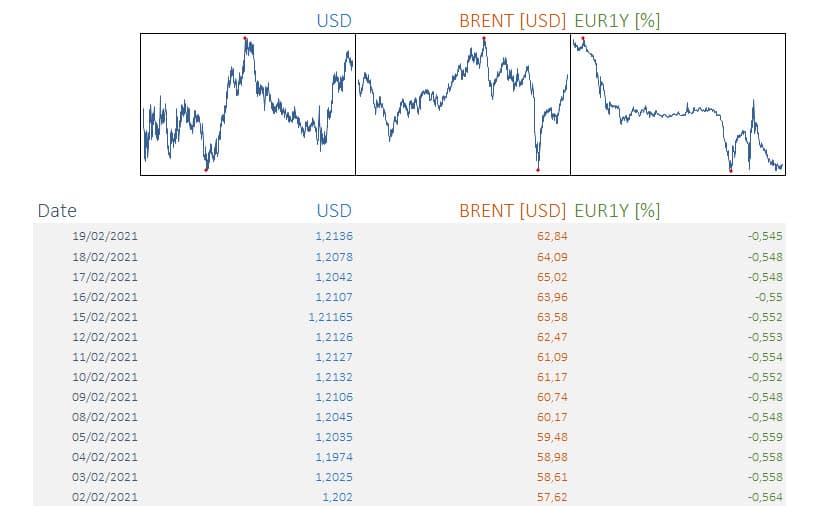
Every country has different public holidays. When you look at several time series in parallel, values can be missing on different days.
With Risk Kit Data, you synchronize the time series with a single function call. Gaps are interpolated. The joint development of the data becomes visible.
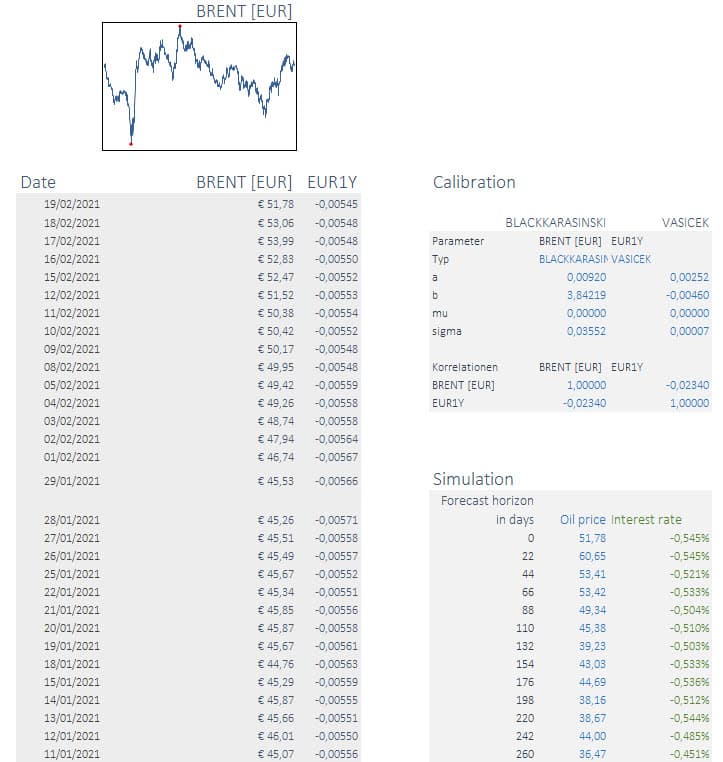
Calibration and simulation seamlessly in Risk Kit
Models for the further development of the prepared time series are calibrated in Risk Kit and built into the simulation.
A detailed walkthrough: an in-depth case study
Every step, from searching for the data through the download and preparation to embedding it in a larger model, is discussed and explained in detail in a case study. You will find the case study among the examples in the Risk Kit ribbon.
You get Risk Kit Data free with Risk Kit. Try both free for 30 days.
See Risk Kit Data live.
In a personal demo, we show you Risk Kit Data directly in Excel: from searching the data sources, through importing via a cell function, to calibrating and simulating the time series in Risk Kit. Just tell us in advance what interests you, and we will prepare the demo accordingly.
- You see Risk Kit Data live in action in Excel.
- We show you the data sources that fit your question.
- We answer your questions directly in Excel.
- The demo is without obligation.